Before the Proctor Signs In: Building a Test Room That Survives the Scan
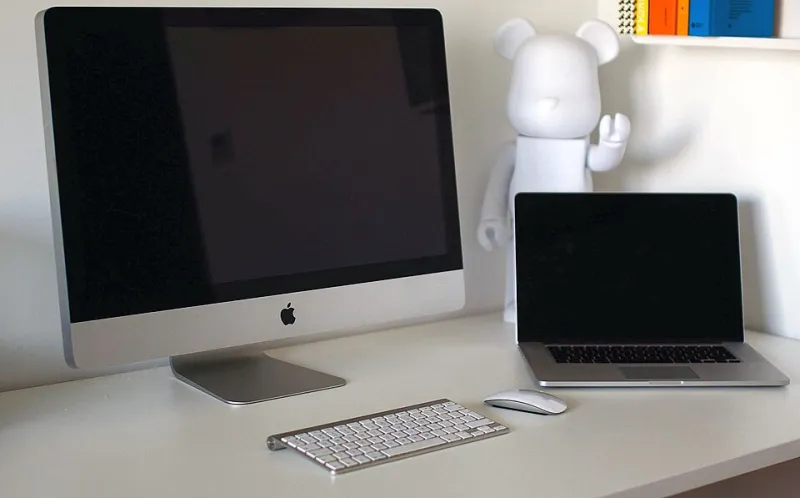
Photo: Patryk Sobczak patryksobczak, CC0, via Wikimedia Commons
The most common reason a candidate loses a remote exam attempt is not a knowledge gap. It is a room that failed inspection. A monitor still connected, a phone face-up on the desk, a name on a driver's license that does not exactly match the registration record — each of these can end an appointment before the first question loads, and depending on the program, the attempt may not be refunded.
Proctoring platforms differ in their specifics, and candidates should read the rules for their particular program rather than relying on general advice. What follows is the setup that satisfies the widest range of remote proctoring requirements, assembled at close to zero additional cost.
The Scan Is the Exam Before the Exam
Most platforms begin with a room sweep: the candidate stands, rotates the webcam or a paired phone through a full 360 degrees, and shows the desk surface from above. Some require a mirror or reflective surface to prove the webcam has no covers or filters.
The scan fails most often for two reasons. The first is darkness or glare, which leaves corners of the room unverifiable. The second is a partially scanned space, where the candidate rotates 180 degrees and assumes the proctor has seen enough. Slow, deliberate rotation with pauses at each wall is more reliable than a rapid sweep. Light the room from the front and from the side opposite the webcam, and avoid sitting with a bright window directly behind you, which silhouettes the face and frequently triggers a correction request.
Clearing the Desk Is Not the Same as Tidying It
A cleared desk means everything is off the surface except the permitted items. It does not mean the clutter has been pushed to one side.
Remove or unplug additional monitors entirely. Covering them is not always sufficient, and some platforms require them physically disconnected. Remove printers, external drives, smart speakers, and any device with a screen or microphone. Remove paper, pens, and sticky notes unless the program explicitly allows scratch materials, in which case follow the stated rules precisely; many programs now provide an on-screen whiteboard instead. Any loose paper on a cleared desk invites a violation review.
Wearables follow the same logic. Smartwatches, fitness bands, and earbuds should be off the body and out of the room. Most programs prohibit headphones and require any prescription glasses to be held up to the camera for inspection. Hoodies should be avoided and long hair tied back, not because of any rule about appearance, but because proctors must be able to see the ears and confirm nothing is being worn there.
Network Reliability on a Small Budget
Enter the exam on a wired connection if one is available. A basic Ethernet cable is one of the cheapest purchases in the entire preparation process and eliminates the most common cause of dropped sessions.
A mobile hotspot is the standard failover. Set it up before exam day, confirm the laptop can connect to it, and keep the phone charged and outside arm's reach during the test. Confirm the data allowance is adequate for a multi-hour session. If the home connection drops, reconnection windows vary by platform, but they are measured in minutes, not hours.
Close everything else. Disable VPN clients, pause cloud backups and automatic updates, and close every browser tab and background application. Run the platform's system test at least 48 hours before the appointment, then again on the morning of the exam. A system test passed on Monday does not guarantee a working environment on Friday after an automatic operating system update.
Identity and the Details That Trigger Reviews
Register with your full legal name and ensure it matches the government-issued photo ID you will present. A middle name omitted at registration, a hyphenation difference, or a nickname in the profile field is a routine cause of check-in delays.
Check the expiration date on the ID. Present it flat and still, in good light, and do not cover any portion with your fingers. Keep a second form of identification nearby in case it is requested.
Household context matters as much as hardware. A closed door is generally required. Notify everyone in the home of the exam window and the start time, and treat an unexpected entry as the single most likely cause of an invalidated attempt after a network drop. Pets, deliveries, and phone calls fall into the same category.
A Roughly Twenty-Dollar Failover Kit
The instinct to buy a ring light, a new webcam, and a dedicated desk is understandable and rarely necessary. The system test is the arbiter of adequacy, not the product listing.
What is genuinely worth having: one Ethernet cable, a spare phone charger, a desk lamp, and a printed copy of the platform's technical support number. If the laptop's built-in camera is genuinely poor, a basic external webcam resolves it for less than the price of a single exam retake. Nothing else in the remote testing category is required to pass inspection.
Check-In Day, in Sequence
Verify the environment early: cleared desk, lit room, door closed, hotspot ready, ID in hand. Check in as soon as the platform permits, typically thirty minutes before the start time, because check-in queues lengthen in the afternoon and evening. Follow the proctor's instructions exactly and verbally confirm when asked. If the proctor requests a change, make it slowly and narrate what you are doing rather than reaching out of frame without explanation.
A candidate who arrives with a cleared desk and a wired connection has already removed most of the ways an attempt can go wrong. The remaining risk is the exam itself, which is the one risk worth taking.